

Find your way around
Everything is reached from the sidebar, grouped by the job you're doing rather than by what the feature is called.
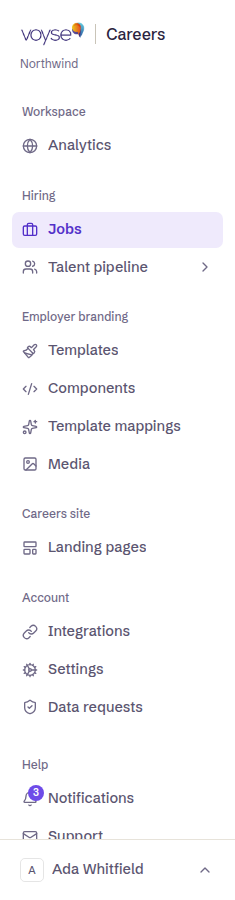
| Group | Area | What it's for |
|---|---|---|
| Workspace | Analytics | What candidates did on your site, and where they came from. |
| Hiring | Jobs | Every role, live or draft, and the applications each one has. |
| Talent pipeline | Working applications in Voyse: the list, the board, reports, your talent pool and job alerts. | |
| Employer branding | Templates | The layouts your jobs, job board and pages are built from. |
| Components | Reusable blocks your templates are assembled from. | |
| Template mappings | Rules that decide which template a job gets automatically. | |
| Media | Photos and video your pages and jobs use. | |
| Careers site | Landing pages | The pages of your site — about, culture, locations. |
| Accessibility | How your site reads to assistive technology, and what to fix. | |
| Account | Integrations | Your ATS, your API key, and switching on the Voyse assistant. |
| Settings | Organisation details, branding, sharing previews, languages and your domain. | |
| Data requests | Candidate data requests and deletions. |
Talent pipeline is a set of pages rather than one: select it to choose between Applications, Pipeline board, Reports, your Talent pool, Job alerts and Pipeline settings — see Job alerts for the one of those that isn't actually about the pipeline.
Notifications sits at the foot of the sidebar with a count of anything unread — imports that finished or failed, and other events worth knowing about. Under Help below it you'll find Support, which opens an email to us, and Platform status.
Your account's name appears under the Voyse wordmark at the top, which matters if you have access to more than one.
Who sees what
Some areas need an account role that can reach them. If Integrations, Settings or Data requests aren't in your sidebar, your account doesn't have admin access — ask an administrator on your team.
Your own settings
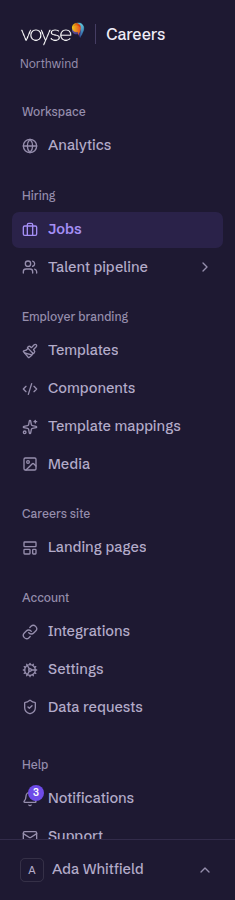
Select your email address at the foot of the sidebar to reach your account, to switch between accounts if you have more than one, to change the theme, or to sign out.