

Landing pages
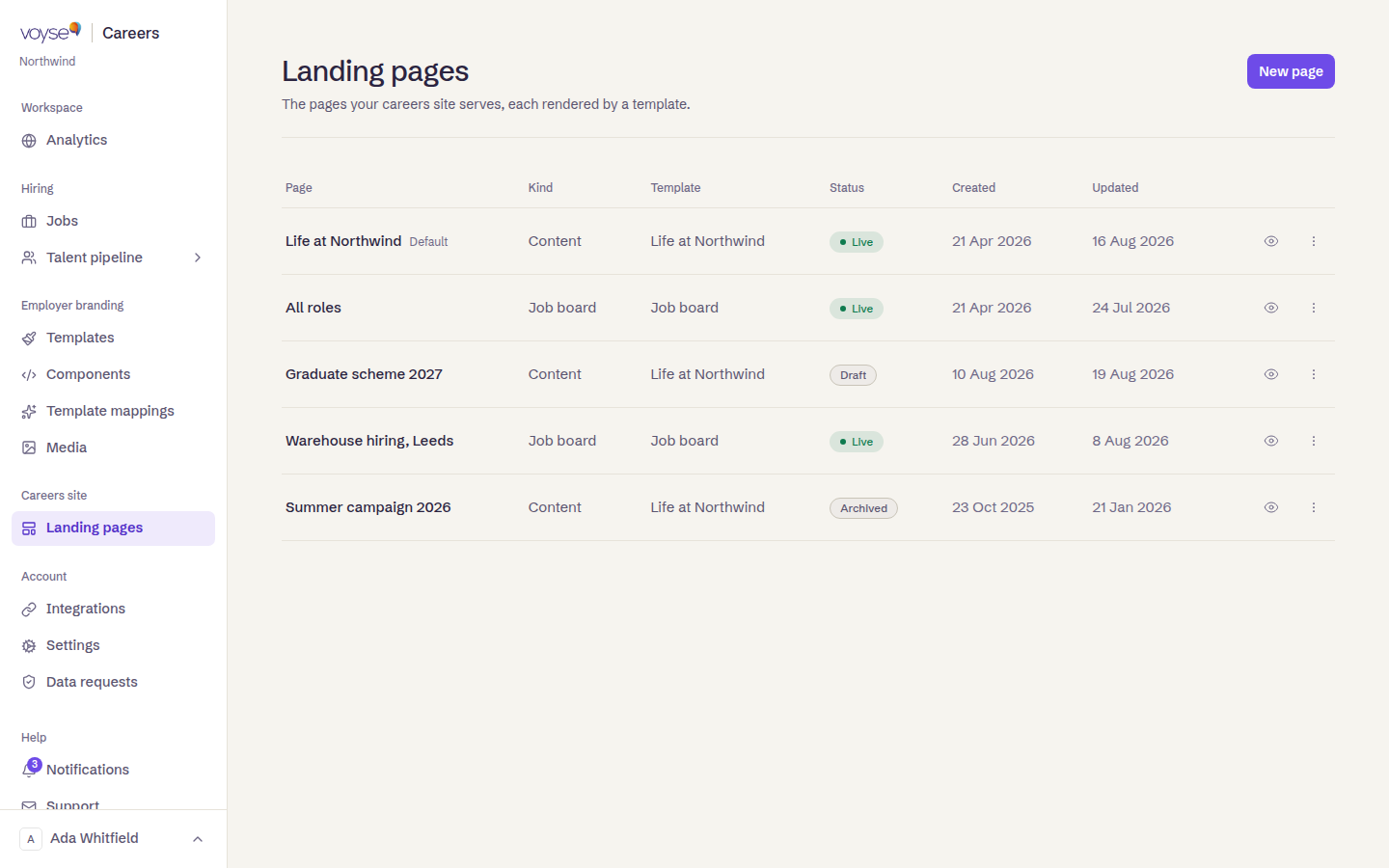
Landing pages are everything on your careers site that isn't a job advert: what it's like to work here, your locations, your benefits, the graduate scheme, and the job board itself. Each is built on a template — a Content page template for everything except the job board, which has its own — see Templates.
Create one
- Select Landing pages, then New page.
- Choose Content page or Job board, then the template it's built on.
- Fill in its content, and save.
A new page starts unpublished, so nothing appears on your site until you switch it live. Its address is set from its title and can be changed afterwards from the page's own settings.
The list shows each page's Address, Status and, for a job board, Template — a content page's template is one-per-page, so that column stays empty for it.
Statuses
| Status | What it means |
|---|---|
| Draft | Not on your site yet. |
| Live | Candidates can reach it. |
| Archived | Taken down, kept for the record. |
The page served at your site's root carries a Homepage tag beside its title instead of a status of its own. View on the site opens the live page, which is the only way to be sure of what a candidate sees.
A page's settings
Select the gear icon on a row to open its settings without leaving the list: its Address, whether it's Live, the Search & sharing description shown in search results and link previews, and — for a page that can be one — whether it's used as the homepage. This same panel tells you Where this page is linked from: which of your templates already link to it, and a Fix in chat link for one that doesn't. All settings opens the full form for anything not on this panel, such as its content or languages.
Everyday work
Deleting a page checks what else on your site points at it first, and names what it finds before you confirm — the audit lists the same links afterwards if you delete anyway.
If the list says No pages yet, your site is currently jobs and a job board with nothing around them. One good "life here" page is usually the highest return on an hour anywhere in this product.