

Analytics
Analytics answers two questions: is anyone finding your jobs, and do they apply when they do.
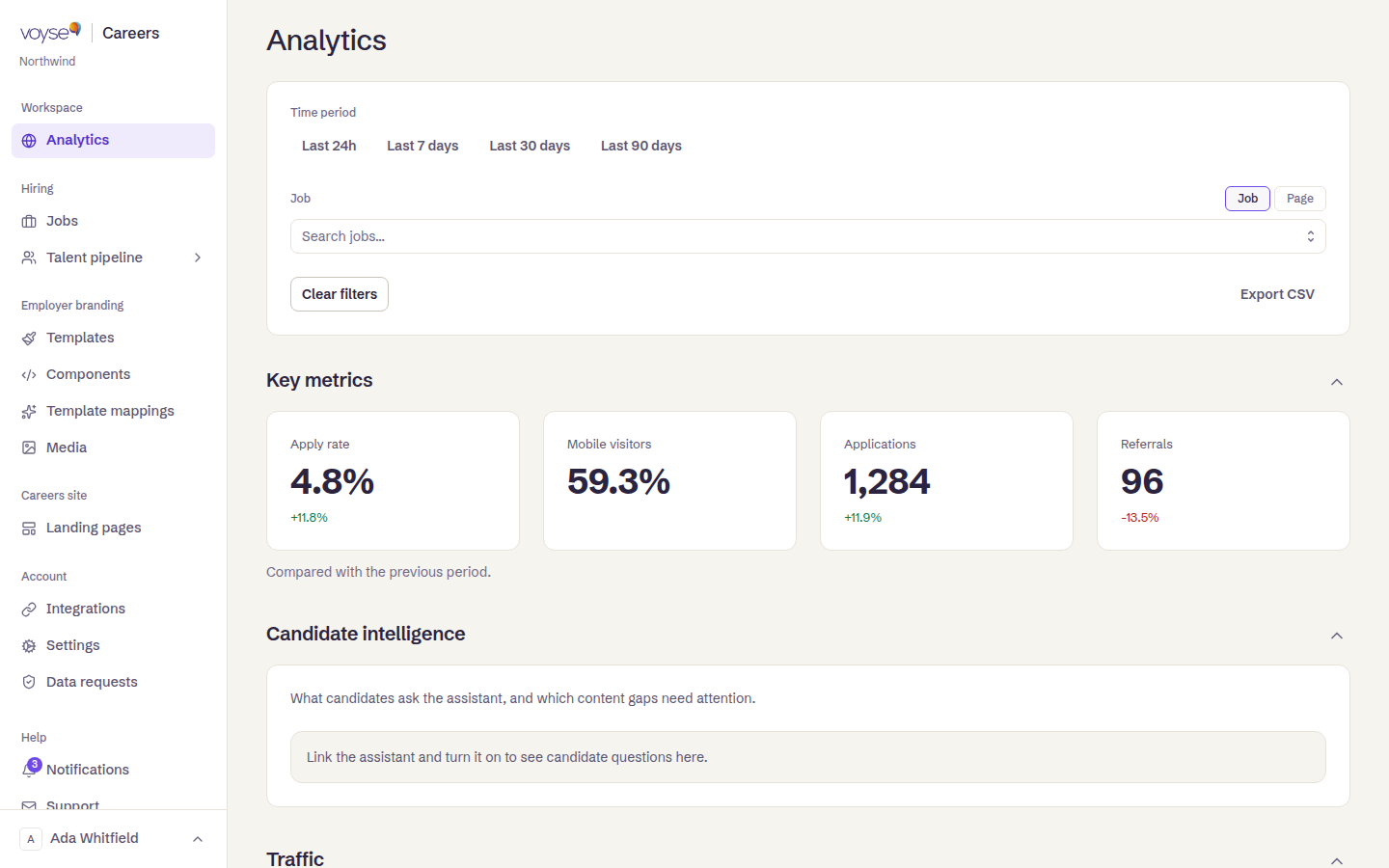
Choosing what you're looking at
Time period across the top offers Last 24h, Last 7 days, Last 30 days and Last 90 days. Below it you can narrow to a single Job or Page, and Clear filters puts it back. Export CSV takes the current view away with you, which is the answer when someone wants the numbers in a spreadsheet.
Key metrics
Four figures, each compared with the previous period so you can see direction as well as size:
| Metric | What it tells you |
|---|---|
| Apply rate | The proportion of visitors who applied. |
| Mobile visitors | How much of your traffic is on a phone. |
| Applications | How many arrived. |
| Referrals | Candidates who came through a referral. |
The apply rate is the one worth watching. Traffic without applications is usually a job advert problem — an unclear role, a long form, a wage nobody can find — rather than a traffic problem. And a high Mobile visitors figure is a standing instruction about your job adverts: if most people read them on a phone, that is the width they have to work at.
Where people came from
Traffic shows where visits came from, and locations show where in the world they were. Both are filters as well as facts: select a source or a location and the whole view narrows to it, which is how you find out whether your job board spend brings people who actually apply.
What they looked for
Top searches is what candidates typed into your site's search — what candidates searched for on your careers site. It is the cheapest research in this product: searches with no good result are roles you don't have, or roles you've named something candidates don't call them.
Jobs and searches ranks your job pages by views, and selecting one filters the whole view to that role.
The rest
- Video engagement — whether the video on your pages gets watched.
- Post-apply feedback — what candidates said after applying, where you collect it.
- Candidate intelligence — what candidates ask the assistant, and which content gaps need attention, if you run Voyse Intelligence. Until its assistant is connected and switched on, this section says so rather than showing an empty chart. See the Voyse Intelligence guide.
Sections collapse, so a view you never read can be folded away.
When a panel is empty
Voyse says which, rather than showing a zero: No job views yet, No searches yet, No traffic yet, No locations yet. Several suggest trying a longer period, which is usually the answer for a site that went live recently.