

Connect your ATS
Connecting your applicant tracking system is the first setup step, and it saves the most work. Once it's connected your open roles appear in Voyse on their own, applications go back the other way, and neither list has to be kept in step by hand.
Integrations needs a plan that includes it — if yours doesn't, the page offers Upgrade to Plus instead.
Connect it
- Select Integrations in the sidebar.
- Under Connect an ATS, choose your system. Voyse works with Greenhouse, Pinpoint, Lever, Zoho Recruit, Workable, Ashby, Oracle Recruiting Cloud, JazzHR, and Voyse Careers Sites.
- What happens next depends on the system:
- Lever and Zoho Recruit hand you over to their own sign-in to authorise Voyse, then bring you back. Nothing to copy out.
- The rest ask for credentials you generate in your ATS — an API key, an access token, sometimes a subdomain or a hostname. Each field says where to find it.
- Voyse checks the connection as it saves. The pill by the provider's name reads Connected when it worked.
Every system needs something different, and where those settings live in each one is not obvious. There's a page for each:
- Connect Ashby
- Connect Greenhouse
- Connect JazzHR
- Connect Lever
- Connect Oracle Recruiting Cloud
- Connect Pinpoint
- Connect Voyse Careers Sites
- Connect Workable
- Connect Zoho Recruit
Treat those credentials as you would a password: anyone holding them can read your hiring data. Generate them for Voyse specifically rather than reusing a key you've pasted elsewhere, so you can revoke this one on its own.
Check it worked
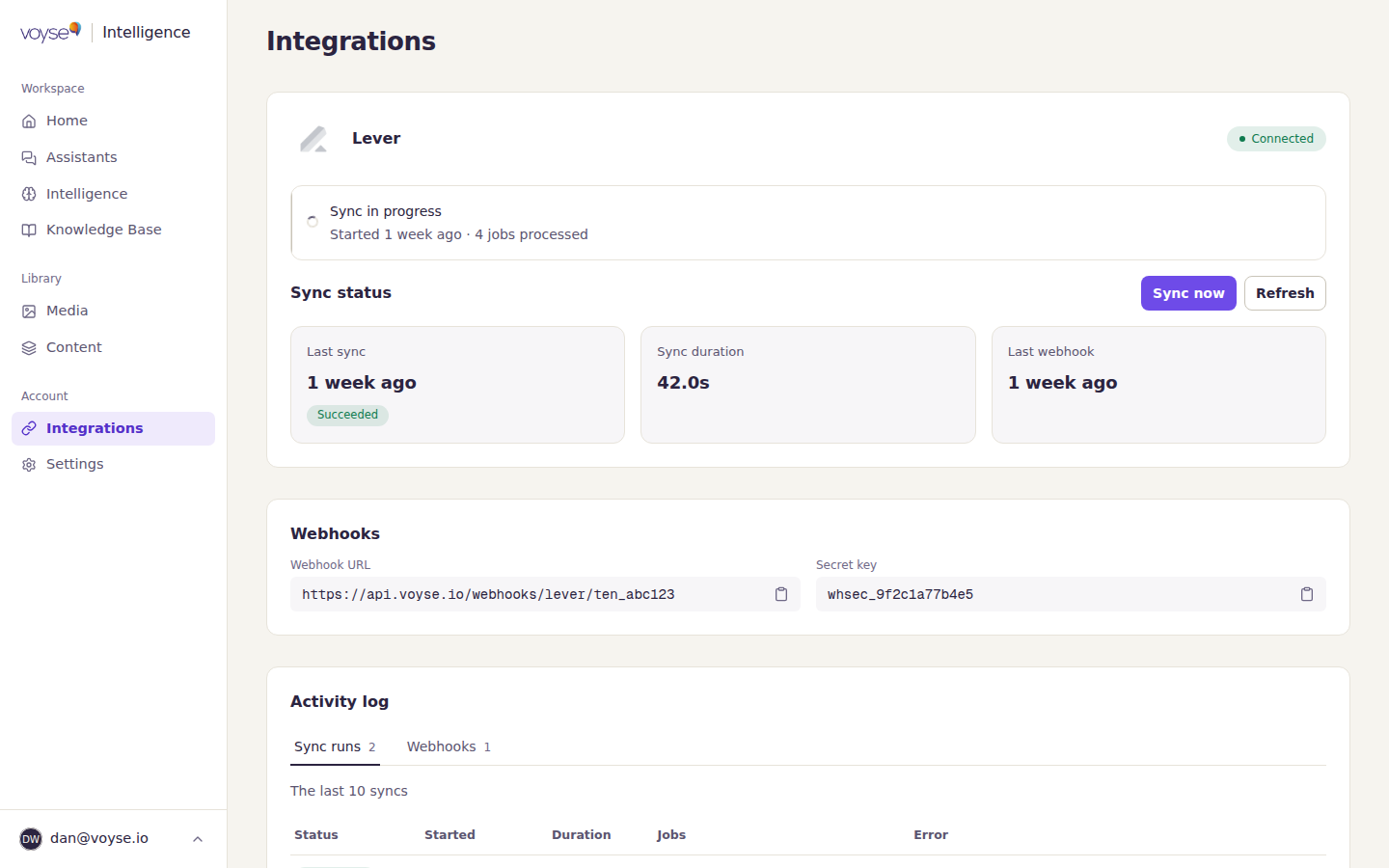
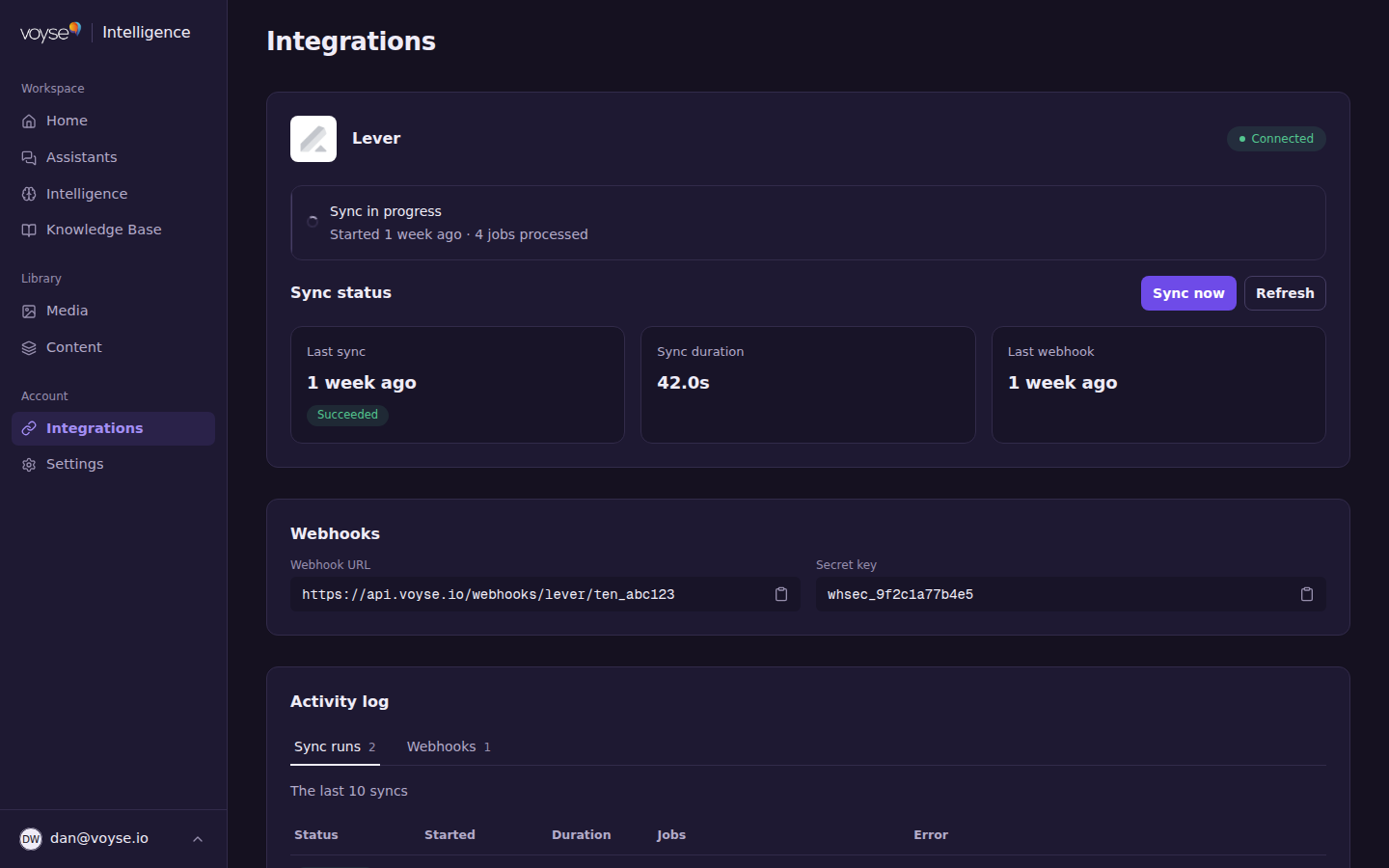
Sync status is the honest answer to "did it work":
- Last sync — when roles last came across, and whether it Succeeded.
- Sync duration — how long that took.
- Last webhook — when your ATS last told Voyse something changed, on the systems that support it.
Sync now fetches everything again. Use it after you've published a role and don't want to wait, or after fixing a failed sync. While one is running you'll see Sync in progress.
Your roles landing here is what the Import your roles step on your home screen is waiting for, so that step completes on its own once a sync succeeds.
What your ATS lets Voyse do
Not every system supports everything, so Capabilities lists what yours allows, marked Essential or Optional. Check capabilities re-tests them — worth doing after you change permissions on the ATS side.
| Capability | What it gives you |
|---|---|
| Job Sync | Your roles, offices and departments come into Voyse. |
| Application Submit | Candidates apply in Voyse and the application arrives in your ATS. |
| Webhook Events | Changes reach Voyse as they happen rather than at the next sync. |
| CRM Prospects | Personalised links for named people. |
| Candidate Notes | A summary of what a candidate asked is written onto their profile in your ATS. |
| Job Notes | A weekly note on each role, covering what candidates asked about it. |
| Hiring manager contacts | Hiring managers can be asked for feedback after a hire. |
An Optional capability your system doesn't grant costs you that one feature and nothing else. An Essential one missing is worth fixing before you go live.
Webhooks
Webhooks are how your ATS tells Voyse something changed the moment it happens, rather than at the next sync. Which of three situations you're in depends on your system, and the Webhooks section shows you:
- Nothing to do. Some systems let Voyse register webhooks itself. The section says they're configured automatically.
- Voyse gives you a URL and a secret key to add in your ATS. Copy both from this section and paste them where your system asks for a webhook. Treat the secret key as a credential.
- Your ATS gives you the secret. Some ask you to create the webhook their end and paste their signing secret into Voyse instead.
If webhooks aren't set up, everything still works — changes reach you at the next sync rather than the moment they happen. Which situation you're in, which events to send, and where the settings are in your system, are on that system's page above.
When something looks wrong
Activity log at the bottom of the page is the diagnostic surface: the last ten syncs, each with its status, when it started, how long it took, how many jobs it moved, and the error if it failed. Webhook deliveries have their own tab.
Read the error before re-running anything. A failure that names your credentials means they've been revoked or rotated at the ATS end and need re-entering; a failure that names a permission means the capability list above is worth re-checking.
Disconnecting
Disconnect, at the bottom of the page, stops the exchange in both directions. Roles already imported stay in Voyse, and your assistant keeps answering from your knowledge base. Reconnecting later means authorising or entering credentials again.